Introduction
Long days and longer highways mean your phone needs a rock-solid home in the cab. The right truck phone mount keeps your screen stable over washboard roads, puts navigation at a safe glance, and helps you comply with hands-free laws. In this guide, we combine road-relevant testing criteria (vibration, heat, visibility, one-hand insertion) with practical picks you can actually install in a work rig. Whether you prefer a dashboard phone mount, a windshield phone mount, a vent or pillar setup, or a magnetic phone mount, we’ll help you dial in a hands-free phone holder that won’t wobble when the pavement ends. We also flag fit notes, charging options, and mounting limitations so you’re not fighting your gear when you should be focused on the road.
Top 5 Phone Holders for Trucks
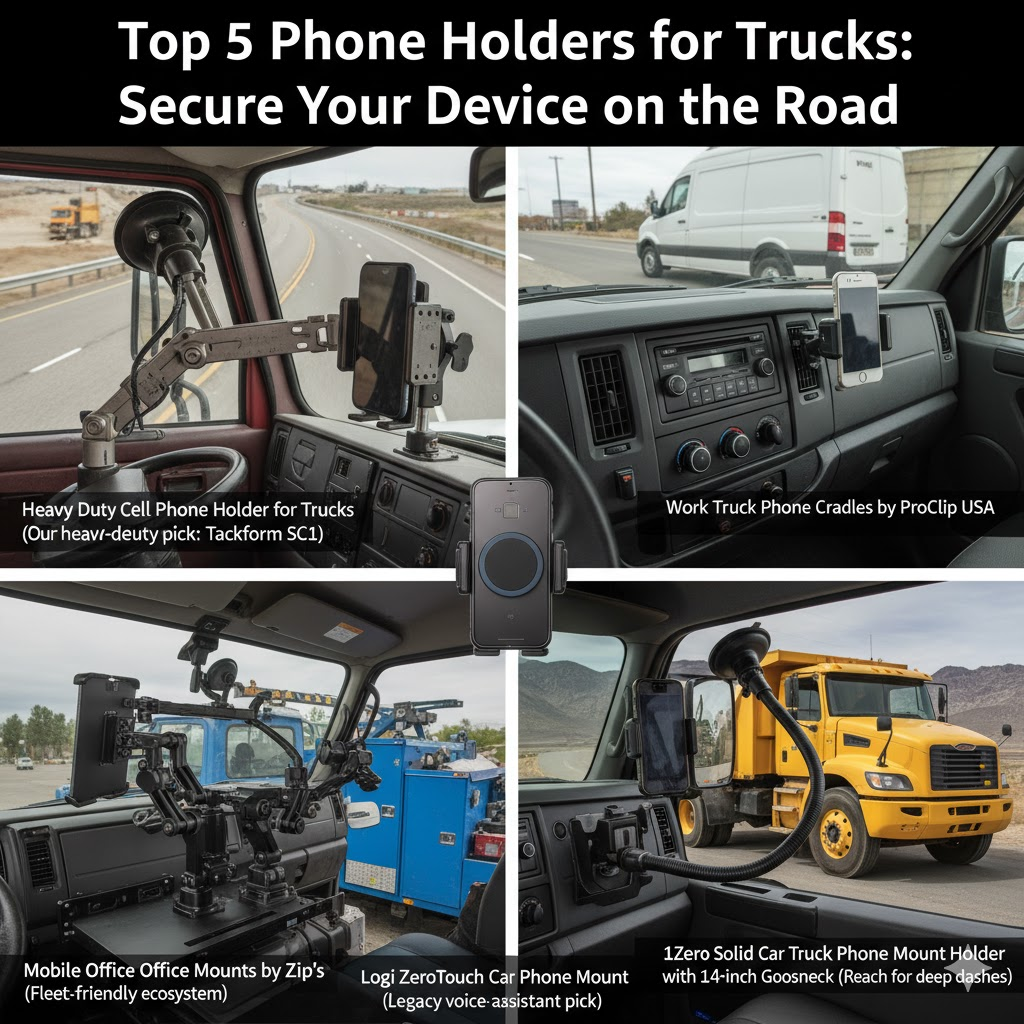
Heavy Duty Cell Phone Holder for Trucks (Our heavy-duty pick: Tackform Enduro SC1)
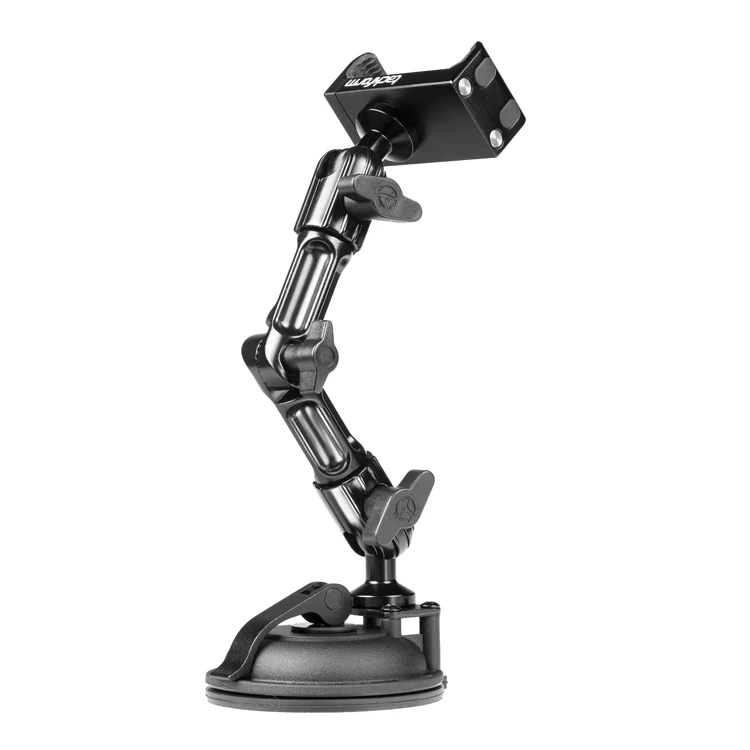
Why it stands out: Built for commercial cabs and rough service, Tackform’s commercial-grade system pairs a stout suction base with a modular arm and metal cradle. It’s purpose-built for semis and fleet vehicles, so you get clamp strength, adjustable reach, and hardware that doesn’t wilt when the cab gets sauna-hot in summer or sub-zero in winter.
Best for: Owner-operators and fleet trucks that see constant idle heat, potholes, and off-pavement yards. If you’ve broken cheaper arms or plastic ball joints, this is the upgrade that sticks—literally and figuratively.
Mounting & usability: The wide suction cup and stabilizer create a firm anchor on glass or other non-porous surfaces, while the 20 mm ball system gives you fine-grained adjustment. One-hand cradle operation is genuinely doable after the first day of muscle memory. If you prefer dash over glass, pair it with a 3M-adhesive puck on a flat area.
What to watch: Any suction mount will lose grip on dusty, textured dashboards or in temperatures where condensation forms—clean the surface and re-set occasionally. If your windshield is steep, plan the arm angle so the phone doesn’t block sightlines.
Good to know: Replacement parts are sold separately; that’s a plus for long service life.
Where to learn more: Tackform’s commercial-grade suction system is marketed as optimized for semi-truck and fleet use.
Work Truck Phone Cradles by ProClip USA
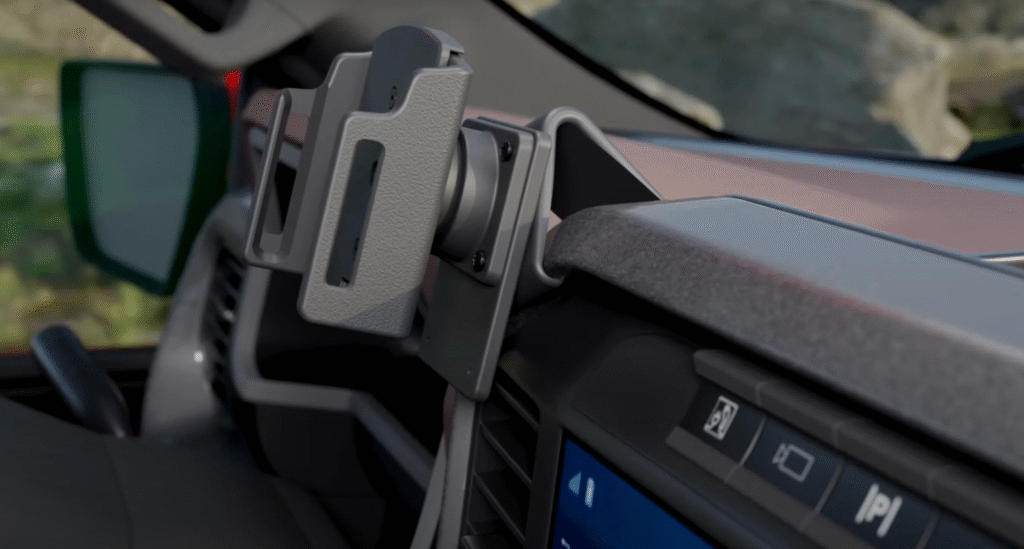
Why it stands out: ProClip’s two-part system (vehicle-specific base + phone-specific holder) solves two headaches at once: a mount that actually fits your dash and a cradle that fits your device with or without a case. No drilling, no sagging vent clips, no “universal” wobble.
Best for: Utility and phone holder for work truck builds where a clean, OEM-like install matters—service trucks, utility fleets, delivery operations.
Mounting & usability: The vehicle base snaps into factory gaps for a tidy vehicle phone holder location; the top cradle can be adjustable phone holder or MagSafe-style depending on your device. The result feels like a factory accessory, not an afterthought.
What to watch: Because bases are model-specific, double-check year/trim before ordering. If you change phones often, choose their adjustable or charging cradle to avoid a full re-buy.
Where to learn more: ProClip maintains a category for work-truck and fleet holders with exact-fit bases.
Logi ZeroTouch Car Phone Mount (Legacy voice-assistant pick)
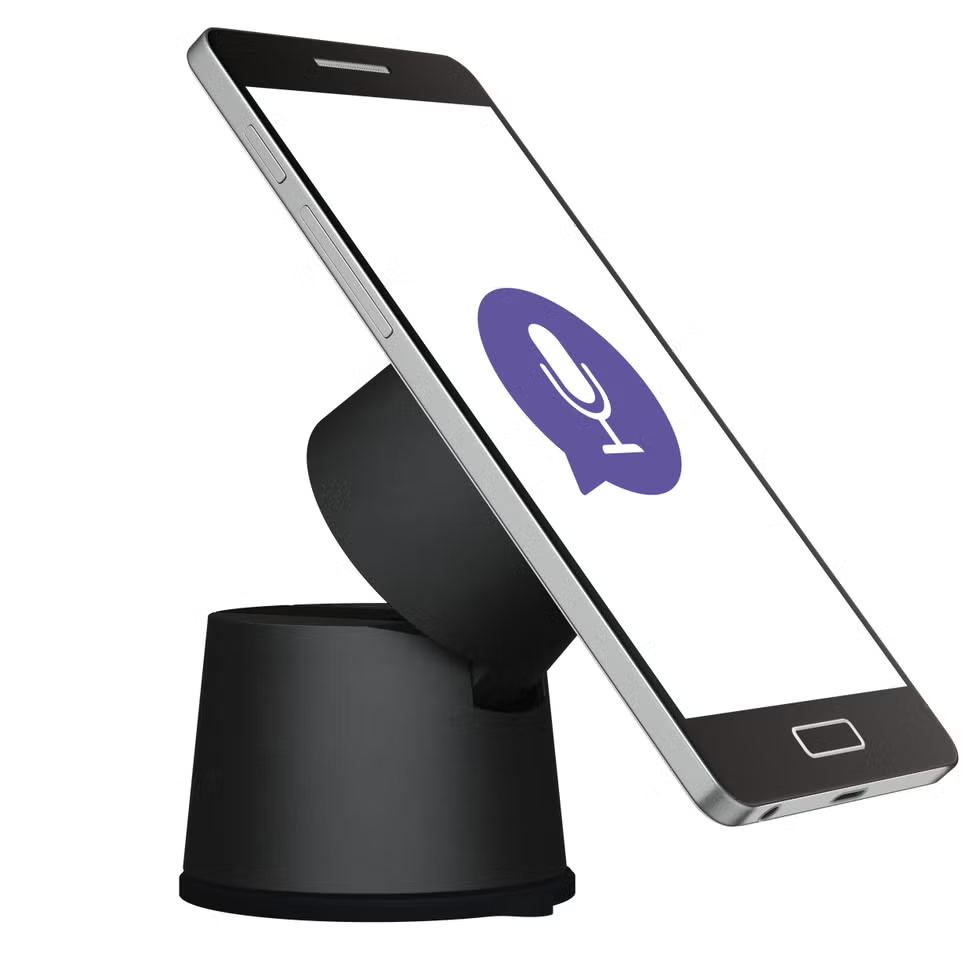
Why it stands out (and a caveat): ZeroTouch was a clever magnetic phone mount that triggered a voice assistant app for fully hands-free calling, messaging, and navigation when you docked your phone. It’s a “legacy” concept worth knowing—particularly if you find one used—because it showed how a mount can integrate with software to limit distractions. Caveat: the original app has been discontinued and is no longer on the Play Store.
Best for: Drivers who value voice-first interaction and are comfortable sourcing a used mount and relying on native phone assistants today.
Mounting & usability: The vent or dash form factor is compact; magnets make one-hand docking simple (use a proper plate and avoid interfering with wireless charging if you rely on it).
What to watch: Because it’s discontinued, treat this as a concept reference and consider modern equivalents that pair a mount with native Google Assistant/Siri voice controls.
Product note: Retail listings now flag the discontinuation of the app.
Mobile Office Mounts by Zip’s (Fleet-friendly ecosystem)
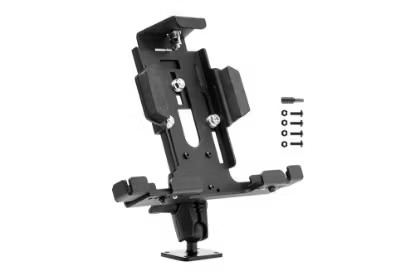
Why it stands out: Zip’s serves working trucks: tow, recovery, service. Their Mobile Office Vehicle Mounts catalog brings together no-drill arms, articulating brackets, and holders (including RAM-compatible) so you can build a stable, ergonomic phone-and-tablet station without tearing into the dash.
Best for: Fleet managers standardizing a phone holder for fleet vehicle solution alongside laptop trays and tablet mounts; tow and service trucks where crews switch vehicles frequently.
Mounting & usability: No-drill base plates preserve resale value. With articulating arms you can keep screens low and off the windshield, and set a safe angle to avoid glare at night.
What to watch: Mixing brands in one ecosystem? Keep to one ball-and-socket standard (e.g., 1″/B-size vs 20 mm) or you’ll be chasing adapters.
Where to learn more: Zip’s lists hands-free mobile office mounts, including no-drill phone and tablet options suited to work trucks.
1Zero Solid Car Truck Phone Mount Holder with 14-Inch Gooseneck (Reach for deep dashes)
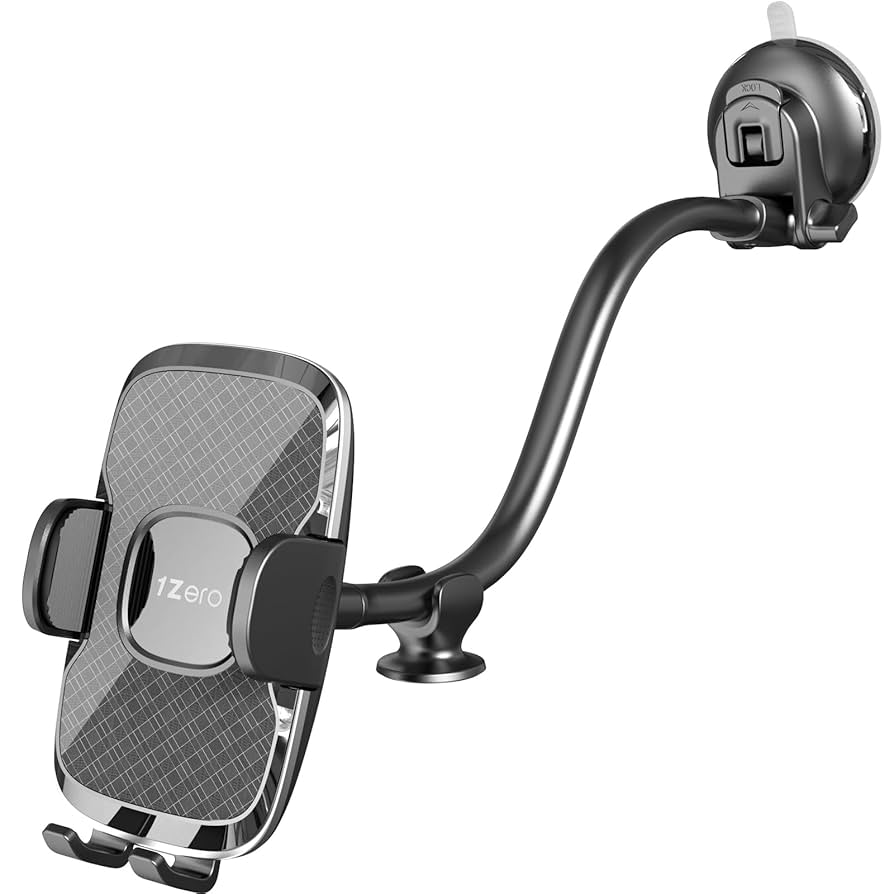
Why it stands out: Some cabs have a deep dash or a windshield geometry that puts your phone too far away. This long-arm gooseneck with an industrial-strength suction cup lets you bring the screen closer without blocking the road. A stabilizer pad tamps down shimmy.
Best for: Older tractors and vocational trucks with sprawling dashboards; drivers who want the phone mid-air for perfect line-of-sight.
Mounting & usability: The 14-inch arm is the point—route it low so it doesn’t become a pendulum. The cradle fits large phones and cases; the release tabs are glove-friendly.
What to watch: Any long arm can amplify vibration. Use the included dash brace, and avoid placing it where the arm can obstruct an airbag or gauge cluster. If you frequently hop in and out, check the suction cup weekly.
Where to learn more: See the 1Zero long-arm model with anti-shake stabilizer and industrial suction.
Factors to Consider When Choosing a Phone Holder for Your Truck
Compatibility
Start with two fits: your vehicle and your phone. For the vehicle, think surfaces (glass, smooth dash, textured dash), trim (grab handles, pillar space), and driver eye line. For the phone, check case thickness and charging needs (wired, wireless). Below is a quick “compatibility roll-call” drivers ask us about most often; it’s not exhaustive, but it shows how broad the use cases can be:
Mounting Options
Each base type has trade-offs. Pick the one that matches your cab and compliance requirements:
- Windshield phone mount: Flexible placement and strong suction on clean glass. Watch local laws; some states restrict fullscreen items on the windshield. Long-arm models (like a 14″ gooseneck) need a secondary brace to avoid shake.
- Dashboard phone mount: Great for keeping the screen lower in the visual field. Works best on smooth, flat surfaces; textured vinyl needs an adhesive puck. Heat cycles can fatigue glue—clean with isopropyl and press firmly for 30–60 seconds.
- Vent mounts: Quick install, but big, heavy phones can stress vents on rough roads. Safer in passenger cars and light-duty vans than in Class 8 cabs.
- Cup-holder and seat-rail mounts: Useful in vehicles with limited dash space; check that cords won’t snag shifters or PTO controls.
- Magnetic vs clamp: A magnetic phone mount gives the fastest dock/undock and is great for quick delivery stops; clamp cradles grip better over potholes and washboard.
If you regularly jump between vehicles, a modular system is ideal: keep multiple bases installed and move the cradle/arm segment. A robust truck phone mount shouldn’t force you into a brand-new ecosystem every time the fleet buys a different chassis.
Durability
Cabs get hot, cold, dusty, and vibratory. That’s murder on cheap plastic. Look for:
- Materials: Metal arms, reinforced ball joints, UV-stable plastics.
- Adhesives & suction: Name-brand 3M adhesive pads and wide-footprint suction cups. Clean surfaces; avoid silicone polishes on the dash where you’ll mount.
- Vibration control: Shorter arms wobble less; if you need reach, add a brace pad. In vocational rigs, swap to a stiffer ball system or metal arm.
- Thermal resilience: Dash temps can exceed 150°F (65°C). Heat-soak with the HVAC off to spot weak cups before they fail on the road.
A durable truck phone mount is the one you stop noticing after the first week—that’s the goal.
Ease of Use
A mount that’s painful to use will tempt you to hold the phone—defeating the point.
- One-hand operation: Test the release tabs with gloves on. Many adjustable phone holder designs allow thumb-press release and automatic clamp.
- Charging: Consider cradles that support wireless charging if you use navigation all day; cable-managed clamps keep cords from wrapping the steering column.
- Angle & glare: Aim for eye-line just below the windshield so you can glance without head movement. A ball-and-socket joint gives micro-adjustments.
- Legal compliance: A hands-free phone holder doesn’t grant permission to interact with the screen. Configure voice commands (Assistant/Siri) and set “Do Not Disturb” while driving.
The right truck phone mount should make it easier to keep both hands on the wheel and your eyes forward.
Conclusion
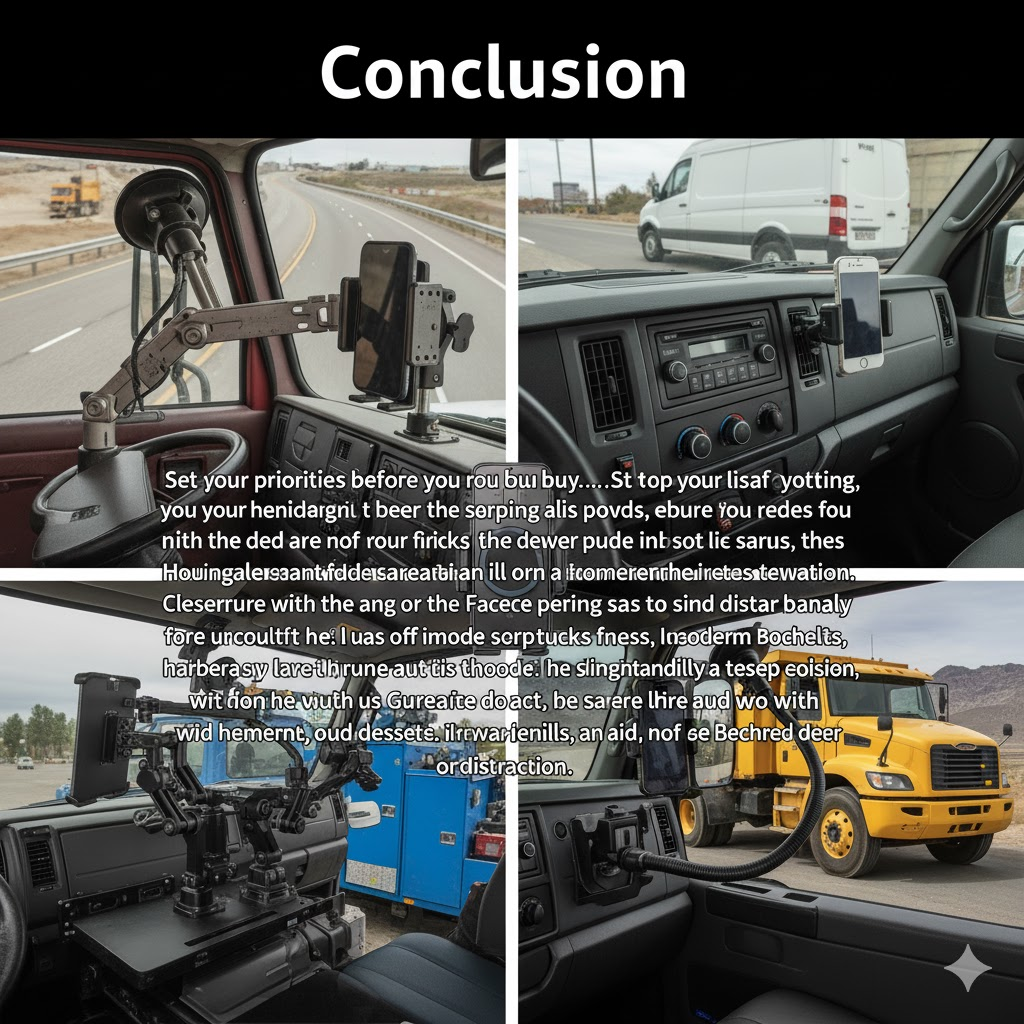
Set your priorities before you buy: rock-solid grip, clean sightlines, and charging that keeps up with 10-hour days. If you want a tank-tough setup, the heavy-duty pick delivers metal hardware and modularity; if you want OEM-clean, the vehicle-specific option is a winner; if you’re outfitting a fleet, the mobile-office ecosystem helps standardize across chassis; if you need reach, the long-arm model solves deep-dash geometry; and if you’re curious about voice-first mounts, know the legacy model’s history and consider modern assistant-based workflows. Whatever you choose, pick a truck phone mount that suits your cab, your route, and your tolerance for vibration—and install it so your phone becomes an aid, not a distraction.
One-minute buyer’s checklist
- Mount base that fits your surface (glass vs dash vs rail).
- Cradle that fits your phone + case and charging style.
- Arm length that reaches without wobble.
- One-hand insert/remove.
- Sightline below windshield + no blocked gauges/airbags.
- Cables routed so they can’t snag controls.