Introduction to ELD Delistings in 2025
If your drivers’ logs live on electronic logging devices and you roll into 2025 thinking “same as last year,” think again. ELD Removals in 2025 have come in several waves from FMCSA, and each wave carries deadlines that determine whether you’re compliant under hours of service or parked out-of-service. Below you’ll find a concise, month-by-month list of ELD delisted devices, the replacement timelines, and a practical, no-drama plan for ELD transition so you can execute an ELD replacement without ELD downtime.
What this guide covers
• Which devices were removed (January, May, and September 2025) and by whom.
• Compliance timelines (paper logs allowance, “replace by” dates, and the ELD penalties trigger dates).
• A battle-tested migration playbook: ELD planning, implementation, ELD testing, ELD verification, and on-going ELD monitoring aligned with FMCSA regulations.
2025 ELD delistings at a glance
| Month | What happened | “Replace by” date | Out-of-Service enforcement begins | Source |
| January 8, 2025 | Six ELDs removed from FMCSA’s Registered Devices list | March 9, 2025 | March 9, 2025 | |
| May 12, 2025 | Eight ELDs (all under Gorilla Fleet Safety, LLC) removed | July 11, 2025 | July 11, 2025 | |
| September 4, 2025 | Three ELDs removed | November 3, 2025 | November 3, 2025 | |
| September 19, 2025 | ROBINHOOD ELD removed | November 18, 2025 | November 18, 2025 |
(Dates and device names come from FMCSA’s newsroom and ELD “News & Events” pages.)
List of ELDs Removed by FMCSA in 2025
January 2025
Effective: Jan 8, 2025 → Replace by / OOS: Mar 9, 2025.
| ELD Name | Model No. | ELD Identifier | ELD Provider |
| BLUE STAR ELD | BSE | BSE777 | BLUE STAR ELD INC |
| ROAD STAR SOLUTIONS | RSSE01 | RSSA01 | ROAD STAR INC. |
| United Eld | UE002 | UEI002 | ROAD STAR INC. |
| Speed ELD | SPE 1 | SP33D3 | Speed ELD |
| TrackEnsure ELD PT30 | TE0101 | — | TrackEnsure Incorporated |
| TrackEnsure ELD PT30* | TE0101 | — | TrackEnsure Incorporated |
*FMCSA notes two separate TrackEnsure devices with the same name/model/identifier.
May 2025
Effective: May 12, 2025 → Replace by / OOS: July 11, 2025.
| ELD Name | Model No. | ELD Identifier | ELD Provider |
| AllwaysTrack | AT001 | ATN001 | Gorilla Fleet Safety, LLC |
| Command Alkon Trackit | CATT01 | CATT01 | Gorilla Fleet Safety, LLC |
| ELDX | XGEOAN | ELDX03 | Gorilla Fleet Safety, LLC |
| Gorilla Safety Compact ELD | GS0002 | GS0002 | Gorilla Fleet Safety, LLC |
| HCSS ELD | HCSSGE1 | ELDH01 | Gorilla Fleet Safety, LLC |
| LB Technologies FleetTrack HOS | LBTFTH | FTHOS1 | Gorilla Fleet Safety, LLC |
| Simplex ELD 2GO | SXIOSAN | SIM001 | Gorilla Fleet Safety, LLC |
| Trucker Path ELD Pro | Trucker Path ELD Pro | TPPro2 | Gorilla Fleet Safety, LLC |
(FMCSA’s May 12 update and July 11 enforcement are documented here.)
September 2025
Set A — September 4, 2025 →
Replace by / OOS:
November 3, 2025
| ELD Name | Model No. | ELD Identifier | ELD Provider |
| TT ELD PT30 | ARN752 | CZGS10 | TT ELD Inc |
| ELOG42 | ERS | ERS156 | Leko INC |
| RENAISSANCE ELD | RNSSNC | RNS592 | RENAISSANCE ELD |
(FMCSA newsroom + ELD News & Events.)
Set B — September 19, 2025 →
Replace by / OOS:
November 18, 2025
| ELD Name | Model No. | ELD Identifier | ELD Provider |
| ROBINHOOD ELD | R-HOOD | RHD481 | ROBINHOOD ELD |
(FMCSA newsroom + ELD site.)
Where to check the current status
FMCSA maintains a live Revoked ELDs page and a registered devices list. Bookmark the revoked list and verify your provider’s status before audits.
Steps to Switch ELDs Without Downtime
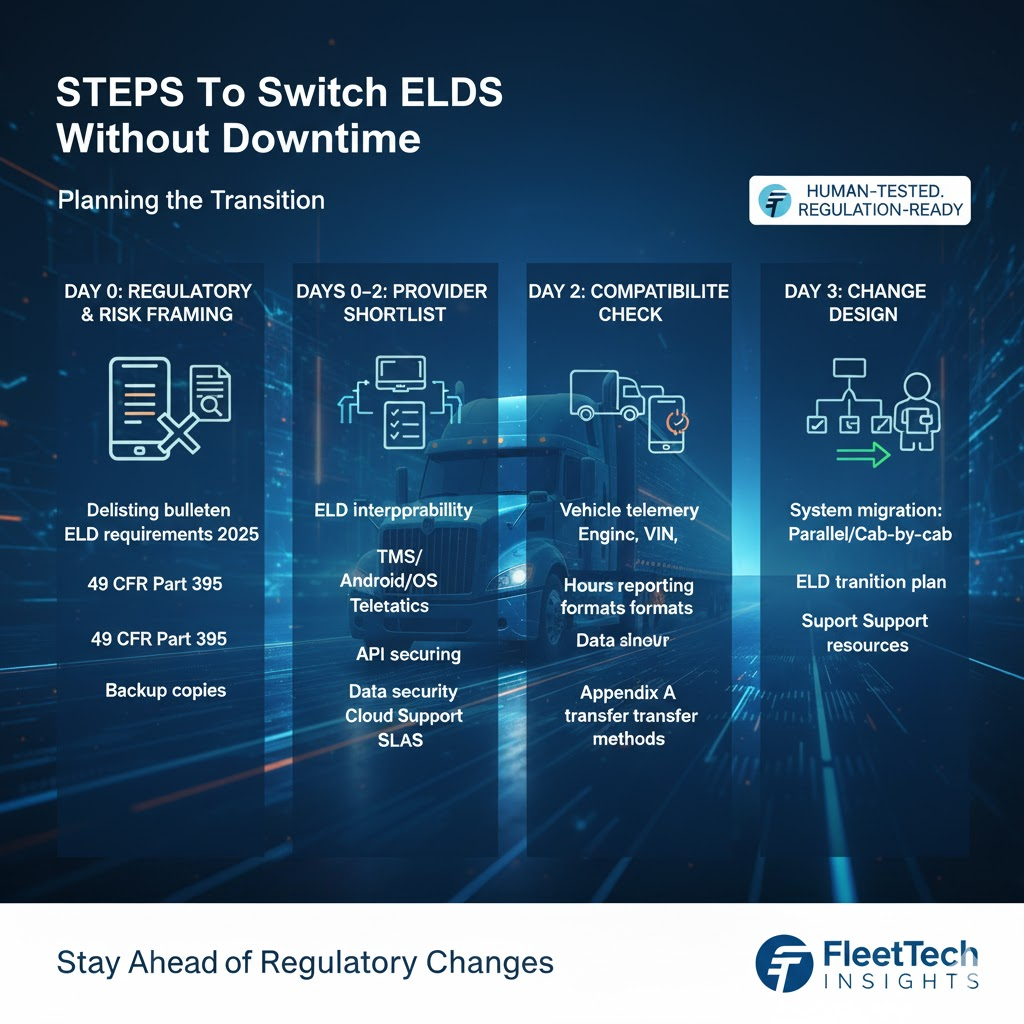
Planning the Transition
Build a two-week “mini-project” that fits your fleet management rhythm and avoids service disruption.
1) Regulatory & risk framing (day 0)
- Pull the exact delisting bulletin for your device; note the ELD requirements 2025 “replace by” date and when ELD penalties/out-of-service begin. (Use FMCSA’s News & Events entries for authoritative regulatory guidance.)
- Review ELD regulations: 49 CFR Part 395, including Appendix A technical specs and recordkeeping rules (e.g., 395.22 backup copies retained 6 months on a separate device).
2) Provider shortlist (days 0–2)
- Do a fast provider comparison focused on: ELD interoperability with your TMS/telematics, cross device compatibility (Android/iOS hardware in cabs), API access, cloud syncing, remote diagnostics, software updates, data security, version control, and support SLAs.
- Require written statements on ELD requirements compliance, ELD registration status, and a back-out plan (disaster recovery/backup plan).
3) Compatibility check (day 2)
- Confirm vehicle telemetry support (engine sync, VIN capture) and cables/mounts for each pickup truck, tractor, and straight truck.
- Validate hours reporting formats (output file + transfer methods per Appendix A—telematics or local).
4) Change design (day 3)
- Choose a system migration strategy: parallel in a test environment, then cab-by-cab cutover; or region-by-region.
- Draft ELD transition steps and ELD compliance steps (paper-log fallback, data export, install order).
- Circulate a one-page user training plan and support resources (hotline, job aids).
Implementing the New ELD
Hardware & account prep (days 4–6)
- Pre-provision driver IDs, assets, and HOS rulesets; map authority numbers, yard time zones.
- Stage devices with pinned app versions (version control) and confirm software updates policy.
- Export your legacy data (event logs, edits, malfunctions) to secure storage for audit requirements.
Install & migrate (days 6–10)
- Cab prep: label cable harness, mount cradle, route power/ECM line; protect edges.
- Activate units in batches of 10–20; enforce a 20-minute road test per truck.
- During change window, keep an 8-day recordkeeping rules stock of blank RODS in each vehicle, as required.
Data & integration
- Validate cloud syncing to your portal and TMS; exercise API access (duty status, ODometer, location).
- Confirm driver change/certification flow, edits/annotations, and data export for compliance audits.
Downtime avoidance tips
- Run the new ELD in “shadow mode” for one day (driver taps both systems) to verify data integrity before the cut.
- Schedule installs at fuel/LTL turns; a two-tech team averages 25–40 minutes/tractor.
- Use a “white-glove” lane for problem cabs to avoid bottlenecking dispatch (seamless switch).
Testing and Verification
Build and run a test plan—treat this like acceptance for safety-critical gear.
Functional tests
- ELD testing: login, status changes, driving auto-events, malfunctions, unassigned miles workflow.
- ELD verification: roadside transfer (email/web or USB/Bluetooth), output file check, and on-screen inspection.
Performance tests
- Latency issues: status change < 5 sec; map tile loads; portal event delay.
- ELD performance: engine sync (RPM/odometer), GPS stability, cellular coverage fallback.
- ELD monitoring: live health dashboard, exception alerts, and remote diagnostics ticketing.
Security & continuity
- Role permissions, password policy, device tamper alerts, data security (at-rest/in-transit).
- Backup plan: export snapshots weekly; verify restore.
- Disaster recovery: document how to revert to paper logs and swap spare units.
Ensuring Compliance and Avoiding Penalties
Understanding FMCSA Regulations
- Use registered ELDs only and replace revoked units by the deadline; otherwise, you’re treated as operating without an ELD and may be placed OOS under CVSA criteria. (See each 2025 bulletin for exact dates.)
- Keep backups & paper: 395.22 requires a 6-month backup on a separate device; keep malfunction instructions and a minimum of 8 days of blank RODS in every cab.
- Know the tech spec: Appendix A defines minimum ELD technical requirements, transfer methods, and display rules.
- HOS basics: Ensure the new system enforces your HOS profiles correctly (property/passenger).
Monitoring ELD Performance
Establish a weekly cadence that aligns with fleet safety and compliance audits:
- Dashboards for malfunctions, unassigned driving, and driver certification.
- Monthly regulatory updates review; confirm your provider communicates changes fast.
- Quarterly audit requirements drill: produce 6 months of logs, transfer samples, and policy attestations.
- Check user training completion and refreshers; rotate quick-start cards in glove boxes.
- Track support SLAs; measure close times and root causes to judge ELD providers.
- Validate API access feeds into payroll/IFTA/TMS; recheck after any platform software updates.
Conclusion
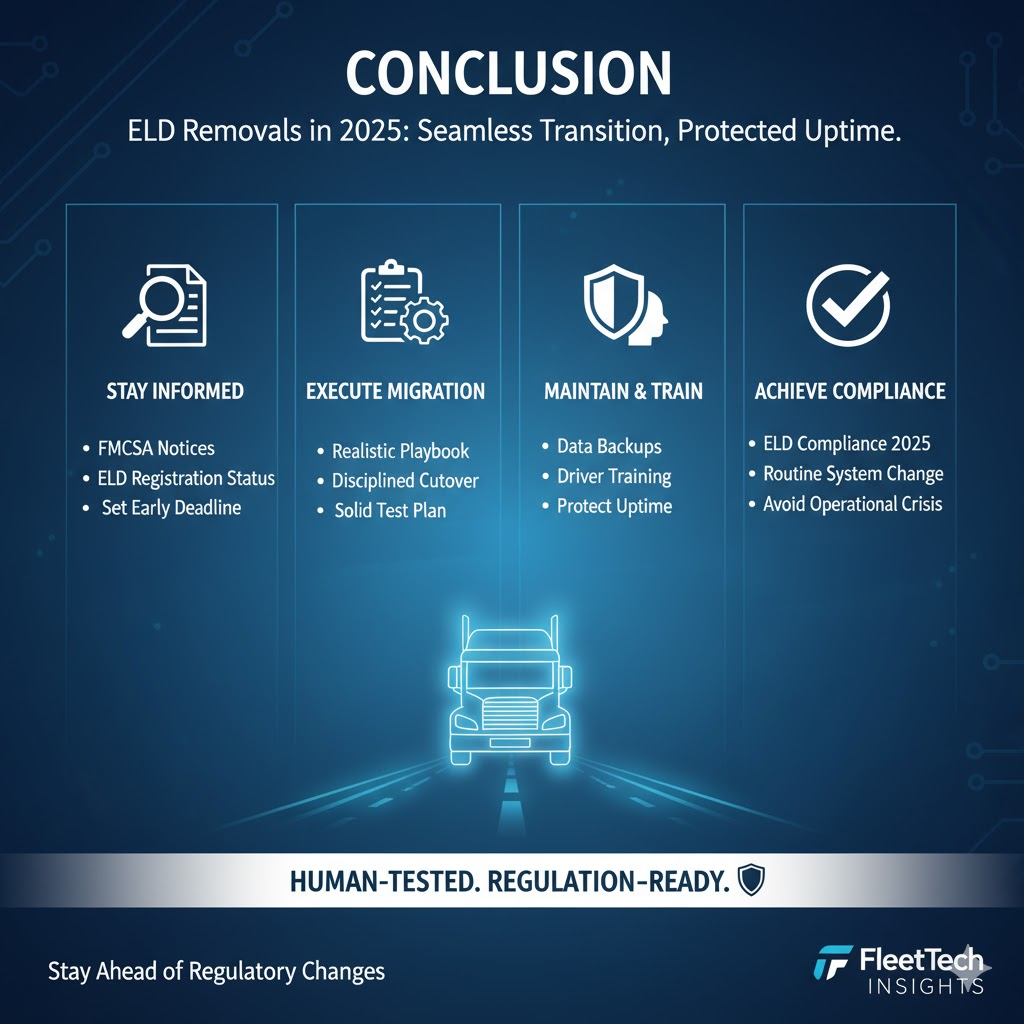
You don’t need to fear ELD removal 2025 notices if you keep the facts straight, the timeline tight, and your migration playbook realistic. Keep eyes on FMCSA’s ELD registration and ELD deactivation pages, set a hard internal “replace by” date earlier than the official one, and run a disciplined cutover. With the checklists and tables above, ELD Removals in 2025 can be a routine systems change—not an operational crisis. If you maintain backups, exercise a solid test plan, and enforce driver training, you’ll nail ELD compliance 2025 while protecting uptime.
Appendix: Quick Reference Tables
A) Migration runbook (from “delisted” email to “all trucks cut over”)
| Phase | Owner | Duration | Outputs | Notes |
| Intake & risk framing | Compliance | 1 day | FMCSA notice & deadlines, regulatory guidance summary | Attach links to the delisting notice. |
| Shortlist & provider comparison | Ops/IT | 2 days | 2–3 candidates, API checklist, pricing | Verify ELD interoperability/cross device compatibility. |
| Pilot in test environment | IT | 2 days | 5–10 trucks validated | Capture latency issues, transfer tests. |
| Install & system migration | Field techs | 4–5 days | 100% hardware installed | Maintain paper-log fallback, minimize ELD downtime. |
| ELD verification & sign-off | Compliance | 1 day | Acceptance report | Store with recordkeeping rules package. |
| Hypercare & ELD monitoring | Dispatch/IT | 7–14 days | Health dashboards, support logs | Watch data integrity, cloud syncing, remote diagnostics. |
B) Audit packet (what to keep on file)
| Artifact | Why it matters | Citation |
| FMCSA delisting notice & dates | Proves you met ELD requirements timelines | |
| 6-month ELD backups (separate device) | Required by 395.22 | |
| Transfer test evidence (email/web or USB/Bluetooth) | Shows device meets ELD requirements transfer method | |
| Driver training records & SOPs | Demonstrates user training and support resources | |
| Paper-log supplies proof | Required minimum of 8 days in cab |